
API: authentication and first request
Find your key, set the right header and read your existing crawls.
On this page
What is the API for?
Read your Cuik data and automate actions from scripts, n8n or your own application. To choose an operation, read Endpoints and practical examples. This page covers authentication and your first request.
To chat with your data without writing code, use Cuik MCP.
1. Get your key
Open Settings, select API, and copy your key. Your account must have access to Cuik. Cuik keys start with sk_; they are not OpenAI keys or Google tokens.
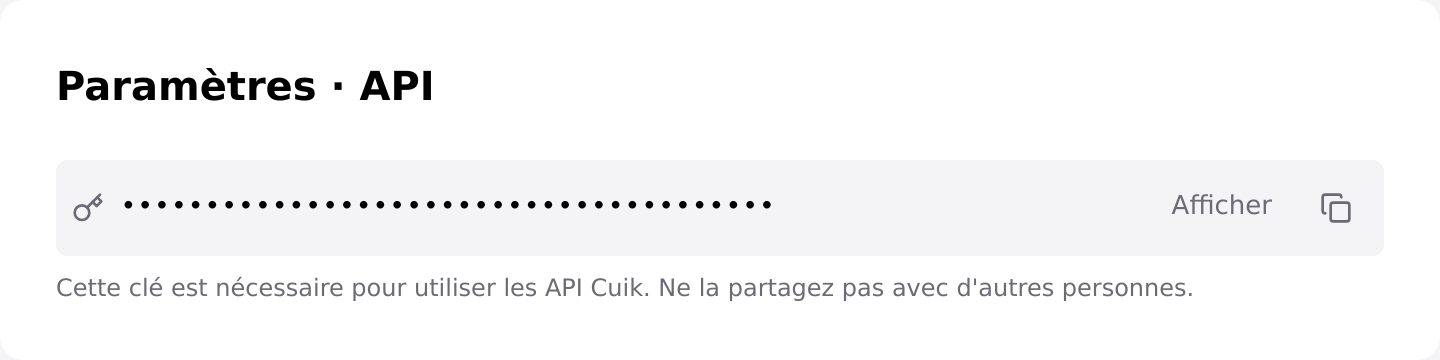 Actual settings component, shown in French with a masked fictional key. Use the reveal or copy button.
Keep the key server-side or in your automation tool’s secret manager. Never embed it in a public webpage, a Git repository or an AI conversation.
2. Use the correct header
Base address used in these examples:
https://api.cuik.ioThis is the production API. Starting a crawl uses your account’s audit quota, separately from Cuik credits for other operations. The historical staging-api.cuik.io hostname remains compatible.
Send your key directly in Authorization, without Bearer. That prefix applies to other authentication methods, not the Cuik API keys used here.
Authorization: sk_YOUR_CUIK_KEY
Content-Type: application/json
3. Make a read-only request
List your five latest crawls without starting an audit. In Bash, enter your key without displaying it:
read -r -s -p "Cuik API key: " CUIK_API_KEY
export CUIK_API_KEY
curl --fail-with-body --silent --show-error \
  'https://api.cuik.io/v1/crawls?limit=5&offset=0' \
  -H "Authorization: $CUIK_API_KEY"
Python 3 with requests (python -m pip install requests), as in the interactive examples:
import os
import requests

response = requests.get(
    "https://api.cuik.io/v1/crawls?limit=5&offset=0",
    headers={"Authorization": os.environ["CUIK_API_KEY"]},
    timeout=120,
)
response.raise_for_status()
print(response.json())
An empty account’s response, illustrative data:
{"crawls": [], "total": 0, "has_more": false, "limit": 5, "offset": 0}total is the number of crawls in this response, not the account total. If has_more is true, increase offset by the number of returned items.
Troubleshooting
| Response | Check |
|---|---|
401 |
Missing or invalid key, whitespace, or an unwanted Bearer prefix. |
403 |
Account/subscription access. For writes, also check the credit or feature message. |
422 |
Invalid parameters; read the response’s detail field. |
5xx |
Temporary service failure. Retry reads later, but never blindly repeat a write. |
A 401 without a key is expected: the API protects your data. Do not send your key to support. Share the endpoint, time and redacted error instead.
Next: start and monitor a crawl.