
Crawl: explore and audit a site
Understand the score, detected issues, URL tables and exports.
On this page
What is a crawl for?
A crawl explores a site's URLs and examines responses, content and links. It provides a technical snapshot of the explored scope at the time of the analysis. Use it to prepare an audit, check a launch or verify fixes.
Open Crawl to enter a site address or reopen an existing analysis. A Search Console connection can enrich the results, but it is not required to explore a site.
Read the overview
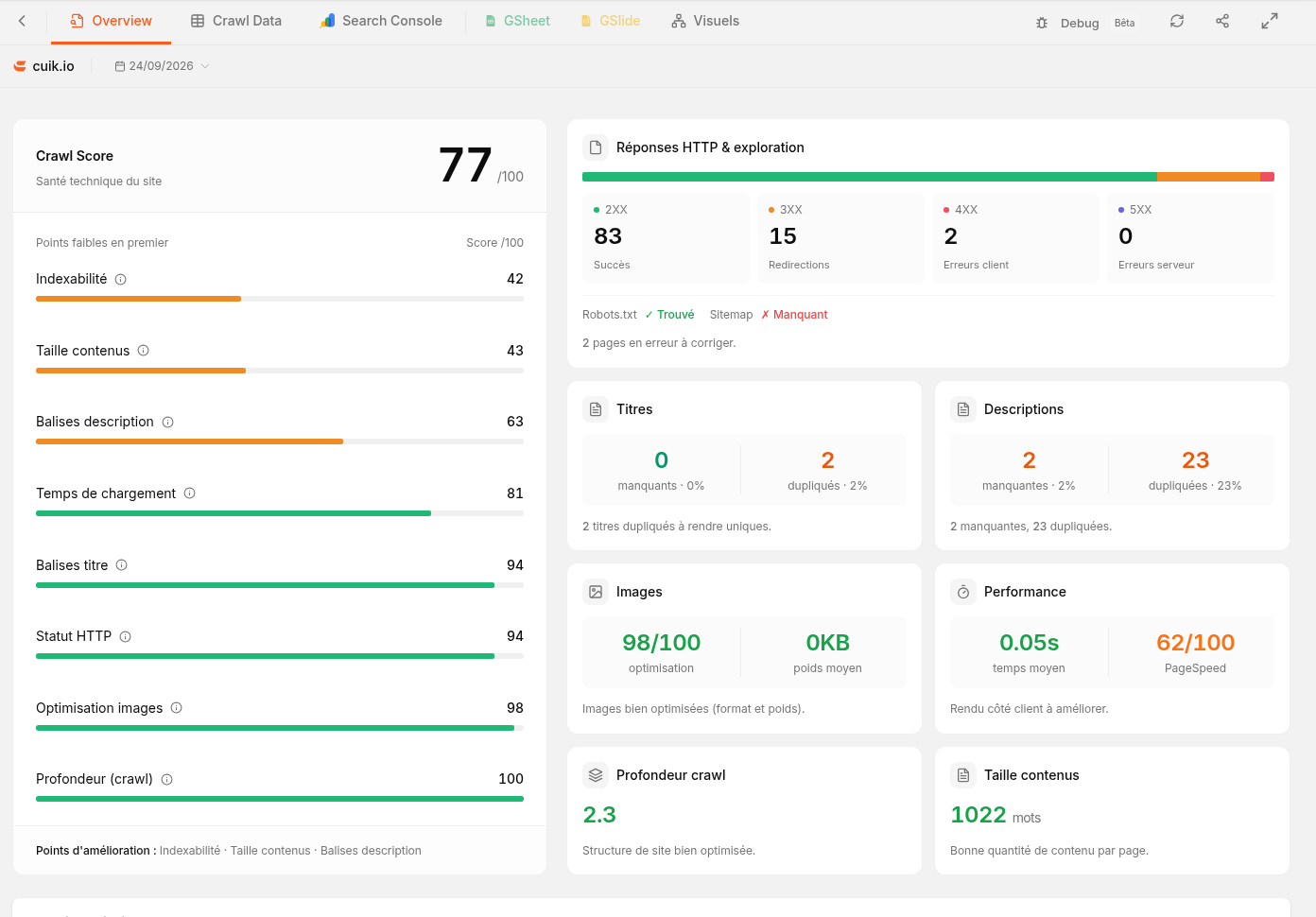 The real Cuik interface using its own website. Figures depend on the crawl and its scope; interface labels in this capture are in French.
The Crawl Score summarises the checks performed. The indicators and issue list help you decide what to examine next. A higher score does not guarantee better Google rankings or more conversions.
| Element | What it helps you understand |
|---|---|
| Score and categories | Which groups of checks contain the most detected issues. |
| URL counts and distributions | The scope explored and the pages or responses encountered. |
| Issue list | What needs examination, how often it occurs and which URLs are affected. |
| Comparison with another crawl | Changes between analyses with comparable settings and scope. |
Example: many identical titles might come from one shared page template. Examine the affected URLs before creating a separate task for every row.
Move from charts to URLs
HTTP status distributions separate successful responses, redirects and errors. A redirect is not necessarily a problem: inspect its destination and purpose. Likewise, short content is not automatically poor content.
The Crawl Data tab lets you inspect URLs and their collected attributes, including status, title and description. Links from issues can open an already filtered set of URLs. Keep track of the active filters before comparing or exporting results.
Link and structure views, when available for the analysis, show relationships between pages. They describe the links found during this exploration, not everything Google knows about the site.
Enrich and share the analysis
When Search Console data is available, matching it to URLs helps distinguish an issue affecting a visited page from an issue on a page without measured search traffic.
You can open or generate the Sheets and Slides documents associated with a crawl. If they were not requested at launch, use Generate documents and choose the available templates. Preparation can take time: the crawl results and document generation are separate steps.
For a report built within Cuik, see Create, customise and share a report.
What affects the results?
Scope, page limits, exclusions, JavaScript rendering, protected access and exploration rules affect what is collected. A crawl limited to one section does not describe the whole site. A page missing from a crawl is not necessarily missing from Google.
Compare analyses with similar settings. For launch options, see Configure a crawl with Cuik Spider.